
Sponsors

Recommended
  • 3Dconnexion SpaceNavigator SE (Standard Edition) 3D Navigation Device USB ( 3DX-700028 )
    3Dconnexion SpaceNavigator SE (Standard Edition) 3D Navigation Device USB ( 3DX-700028 )
    3D Connexion
  • Mastering Blender
    Mastering Blender
    by Tony Mullen
  • Kindle Wireless Reading Device (6
    Kindle Wireless Reading Device (6" Display, Global Wireless, Latest Generation)
    Amazon.com
  • Blender 3D 2.49 Incredible Machines
    Blender 3D 2.49 Incredible Machines
    by Allan Brito
  • Makers
    Makers
    by Cory Doctorow
  • 3Dconnexion SpacePilot PRO - 3D motion controller - 31 button(s) - wired - USB
    3Dconnexion SpacePilot PRO - 3D motion controller - 31 button(s) - wired - USB
    3D Connexion

Entries in zcorp (33)

Tuesday
16Feb2010

The Sculpteo 3D Printing Service

A new European 3D print service has emerged: Sculpteo. This friendly service appears to compete with Shapeways, as it offers not only a straightforward method of uploading your designs, but also has a "community gallery" from which you may choose pre-made designs. 
 
Once your design is set:
 
You choose the material, the monochrome or coloured printing, the final size. We automatically estimate the price, and once your order is confirmed, we are able to elaborate your object.
 
What materials do they offer? It's based on the two different printer models they use: the Formiga P100 and a ZCorp 650. The Formiga prints "plastic, flexible when the object is fine, and very solid (for example to elaborate a ball bearing)" and the ZCorp has "a high-performance compound, which has the appearance of a plaster casting (for example to elaborate interior design objects)". Standard materials for these printers. 
  
Their software is evidently able to automatically correct simple 3D model problems in order to correctly print. However, if the problem is beyond their ability to automatically correct, they'll send it back to you for repairs. 
For now it appears they ship only to Europe. 
 
Via Sculpteo 


Monday
04Jan2010

An Introduction to 3D Printing

Anthony Lockwood of Desktop Engineering writes a review of a white paper from ZCorp that explains in 2D print form the entire process of 3D printing for beginners.

While the PDF paper is somewhat (well, quite a lot actually) slanted towards ZCorp's line of 3D printers, it is very well written for those who are unfamiliar with the concept of 3D printing and want more than just a consumer view. Beautiful diagrams accompany the text to illustrate each step in the process, be they microscopic or office-sized.

The paper explains the beginnings of 3D printing at ZCorp, and then sails smoothly through each step in the process of producing a coffee cup. From design, printing and finishing, it's a great read.

Via Desktop Engineering and ZCorp

Friday
27Nov2009

Matt is BetaMaterialised


Matt Sinclair of We Dont Do Retro writes of his experience using the beta 3D printing service from Materialise, called "i.materialise".

The beta service proudly announces their manifesto:

We love 3D printing and are excited by amazing designs. That's why we developed the i.materialise platform. An online service making 3D printing as easy as printing on paper.


That, of course, is the goal of every 3D printing service: to make it easy to do. It's quite difficult, and each service attempts to tackle that mountain in a different way.

Matt's experience was based on his attempt to print a potentially challenging children's book character. Among his findings:

  • Unspecified file limits, and had to guess at maximum resolution - but it turns out there are no limits
  • Expressed concerns regarding whether i.materialise is correctly determining the feasibility of printing a pathological object. However, it's apparently fixed manually if necessary
  • Orientation is apparently non-changable, at least for now, meaning you cannot use the standard trick of rotating the object to take advantage of higher resolutions along one axis of printing
  • Encountered difficulties in attempting to use the color capabilities of i.materialise's ZCorp printer due to the monocolor preview

We're with Matt on this one: is this a service for professional designers or consumers? While it appears to be an excellent service, it seems to have a little of each in it. Some 3D print services are so clear on their target market that non-targeted visitors would immediately recognize they don't belong there. But this is a beta service and the purpose is to test and improve the service, so stay tuned!

Via We Don't Do Retro and i.materialise (Hat tip to Bart)

Saturday
14Nov2009

Robert Geshlider's Works


Robert Geshlider is a San Francisco-based artist that makes great use of 3D printers for his works. They are abstract and can be found from time to time in the great galleries of the world, including the SFMOMA. This work, entitled "Journal", is from 2008 - and was created using SolidWorks and a ZCorp 3D printer.

Via AllTheLives

Tuesday
27Oct2009

ZCorp Goes Monochrome!


If the motion picture industry changed from color to black and white, we'd be concerned. The same would be true for ZCorp if they dropped their color technology and retreated to "monochrome" mode for their line of 3D printers. That's not exactly what's going on here: they've announced a new Monochrome 3D printer. Sounds strange, doesn't it? Most 3D printers today are monochrome - but ZCorp's printers use their proprietary Polyjet technology that permits use of more than one color within the same print operation. We think that point of view alone gives a hint of the current state of 3D printing.

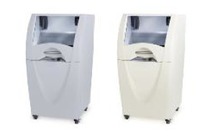
So, on to the announcement. It's the ZCorp 350, billed as an inexpensive way to acquire "high-end functionality". What's "high-end", you ask?

  • automatic material loading
  • snap-in binder cartridges
  • integrated recycling of unused build material
  • self-monitoring operation
  • control from both the desktop and printer
  • 0.8 in/hour (20 mm/hour) vertical build speed
  • 8 x 10 x 8 in (203 x 254 x 203 mm) build size
  • 300 x 450 dpi resolution
  • office-safe build materials, aggressive dust-control, and zero liquid waste

Those are very useful features, particularly in a professional environment, and definite differences from the ultra-inexpensive 3D printer kits making the rounds. But there is a catch. A USD$29,500 catch.

Now that might seem like a high price for hobbyists, and it is. However, this device is not aimed at the hobbyist market. It's for professional users in offices that today cannot afford their own 3D printer. Yes, there are 3D printers in this price range, but they don't have the same features. And in an office environment, those features mean dollars. Without the timesaving features, someone will have to do extra work, and those minutes will add up to big savings in the long term.

Via ZCorp

[UPDATE] Commenter kyphon is correct: ZCorp does not use PolyJet - that's Objet's multi-material technology. We suspect someone left the resin out at the Fabbaloo offices and we must have inhaled deeply. Sigh. 

Monday
14Sep2009

ZCorp Translates

 
ZCorp just launched a new version of their website - in Russian! If you happen to be able to read Russian, you might want to try it out here.

According to their press release:

The new site demonstrates Z Corporation’s commitment to Russia and the Russian-speaking region’s superior technologists with a wealth of new resources about 3D printing and 3D scanning best practices and the benefits for product development,” said Z Corporation Vice President of Marketing Kevin Lach. “It complements the already active presence of our Russian sales partners Consistent Software (www.consistent.ru), and CyberCom Ltd (www.cybercom.ru). The Russian market for 3D printing and 3D scanning is rapidly expanding and growing as manufacturers discover its speed and quality benefits from the conceptual stages of product development through delivery.

We think this is a great move by ZCorp to secure a big foothold in a large emerging market full of new companies that no doubt will need rapid prototyping technology.

Via PR Hub

Tuesday
18Aug2009

From 3D, Comes Infinium!

 
The University of Michigan has spent more than USD$1M to produce the above pictured Infinium solar car, which is to take part in the World Solar Challenge race across Australia. Yes, "solar" means the sun will be the only fuel for this bad boy during the 1,800 mile six day race.

Why are we so interested in this? Aside from being ultra-green, the Infinium was produced indirectly with a 3D Printer, according to TCT magazine:
The Michigan team used a ZPrinter multicolour 3D printer to create prototypes of parts like Infinium’s ergonomic steering wheel and also its motor housing. The prototypes help the team to conduct form, fit and functional testing before production. The team also “ZPrinted” moulds for lightweight carbon-fibre parts and car models for display.
Like other industries, the magic is in saved time and saved money when you can rip out prototypes rapidly. Will this give them advantage over other teams?

We'll see. The race takes place this October.

Via TCT Magazine and ZCorp

Monday
17Aug2009

From Hands to Model

ZCorp, one of the leading 3D Printer manufacturers, also makes and markets 3D Scanners, such as the ZScanner 800 shown above. In a recent article posted by The Engineer Online and republished by ZCorp, they describe the case of Portuguese product development firm Protosys. Protosys recently assisted a boat manufacturer who had difficulties with hull shapes:

Boat hulls are traditionally made from fiberglass, and the designs are used for years. When manufacturers introduce new boat models, they reuse hull designs and spend the bulk of their product development efforts on the deck, cabin and furnishings. Since their moulds are based on handcrafted hull patterns, hulls are rife with minor imperfections.  Minor imperfections add up, however, and can create headaches when a boat is assembled. When it’s time to glue the hull to the deck, too often the parts don’t fit together.

And of course, the ZScanner was used to capture and optimize the hull shapes so that they could be easily re-used.

But that gets us wondering; how many other industries have similar issues, where they have used manual techniques to produce shapes? How many great designs are "in analog jail" and cannot be released for others to re-use?

We suspect the amount of non-digital designs is truly vast. Therefore, we also suspect an emerging 3D industry will be services that capture these analog designs and bring their value into the interconnected 21st century.

Via ZCorp
