
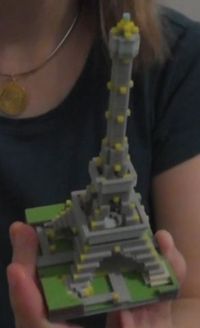
The popularity of Minecraft has blossomed into several 3D print-related services. One of the new ones is Mineways. Minecraft users spend hours designing complex and amazing 3D environments and it’s only natural they’d want to see them in real life if at all possible.
 It is possible with Mineways, but with some effort. Mineways is an open source project that allows export of a selected model from Minecraft in a form that you could either 3D print yourself if you have a 3D printer or submit it to a 3D print service. The prime service here seems to be Shapeways, hence the name of the tool.
 It’s not completely easy, because after you select the portion of your Minecraft world you have to do some sizing and checking to make sure that: a) your model is printable and b) it doesn’t cost a mortgage payment to print. The problem is that Minecraft designs are intended for visual representation, while efficient 3D printing requires some effort to reduce the amount of material printed. You might have to resort to using 3D modeling software to edit the exported model into shape for printing and that may require some expertise. Once you have a model ready for printing at a service like Shapeways you then have to select the size and material, which will ultimately drive the cost.
It sounds complex, but there are plenty of tips, links and even videos at the Mineways tutorial page.
