
Sponsors

Recommended
  • Rule 34
    Rule 34
    by Charles Stross

    Stross delves into a possible future where 3D printers become commonplace - and explores the problems that could result. 

  • Printing in Plastic: Build Your Own 3D Printer (Technology in Action)
    Printing in Plastic: Build Your Own 3D Printer (Technology in Action)
    by James Floyd Kelly, Patrick Hood-Daniel
  • 3Dconnexion SpaceNavigator SE (Standard Edition) 3D Navigation Device USB ( 3DX-700028 )
    3Dconnexion SpaceNavigator SE (Standard Edition) 3D Navigation Device USB ( 3DX-700028 )
    3D Connexion
  • The Homebrew Industrial Revolution: A Low-Overhead Manifesto
    The Homebrew Industrial Revolution: A Low-Overhead Manifesto
    by Kevin A. Carson
  • Mastering Blender
    Mastering Blender
    by Tony Mullen
  • Kindle Wireless Reading Device (6
    Kindle Wireless Reading Device (6" Display, Global Wireless, Latest Generation)
    Amazon.com
  • Blender 3D 2.49 Incredible Machines
    Blender 3D 2.49 Incredible Machines
    by Allan Brito
  • Makers
    Makers
    by Cory Doctorow
  • 3Dconnexion SpacePilot PRO - 3D motion controller - 31 button(s) - wired - USB
    3Dconnexion SpacePilot PRO - 3D motion controller - 31 button(s) - wired - USB
    3D Connexion
« Share That Model With OurBricks | Main | The Different Flavors of Home 3D Printers »
Thursday
Feb032011

Essential Calibration

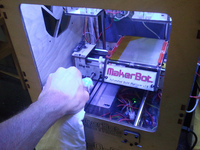
You've assembled your 3D printer after great effort and are anxiously awaiting your first printout. It will be amazing. It will shock everyone watching. Printing an actual object! 
 
But it turns out to be a sullen lump of misshapen plastic. 
 
This is the dilemma of many who assemble their own 3D printer. The effort is not so much in the construction (which can be a lot of work), but instead is the seemingly endless tuning required to "dial in" the right parameters that produce perfect 3D prints. 
 
There are hints here and there around the net, including a pretty good tutorial by MakerBot and excellent instructions by Dave Durant, as well as innumerable hints hidden in blog posts, forums and wikis. 
  
We found a very straightforward explanation in Thingiverse by Coasterman, who includes a series of "essential calibrations" that step-by-step lead you through the basics of tuning your 3D printer. The approach builds on the basic elements first, then follows with more challenging settings. Also included are all the objects you'll need to test with. 
 
If you're having trouble getting objects to hold together, we'd recommend you try these out. 
 

Reader Comments

There are no comments for this journal entry. To create a new comment, use the form below.

PostPost a New Comment

Enter your information below to add a new comment.

My response is on my own website »
Author Email (optional):
Author URL (optional):
Post:
 
Some HTML allowed: <a href="" title=""> <abbr title=""> <acronym title=""> <b> <blockquote cite=""> <code> <em> <i> <strike> <strong>
